Complete guide to Google My Business for Australian small businesses — setup, categories, photos, reviews, and how to drive more local customers in 2026.
If you run a small business in Australia and you're only going to do one thing for your online presence today, set up and optimise your Google Business Profile. It's free, it's remarkably powerful, and the majority of your competitors are doing it poorly — which means the bar for standing out is lower than you might expect. This guide walks you through everything, step by step.
What Is Google Business Profile (Formerly Google My Business)?
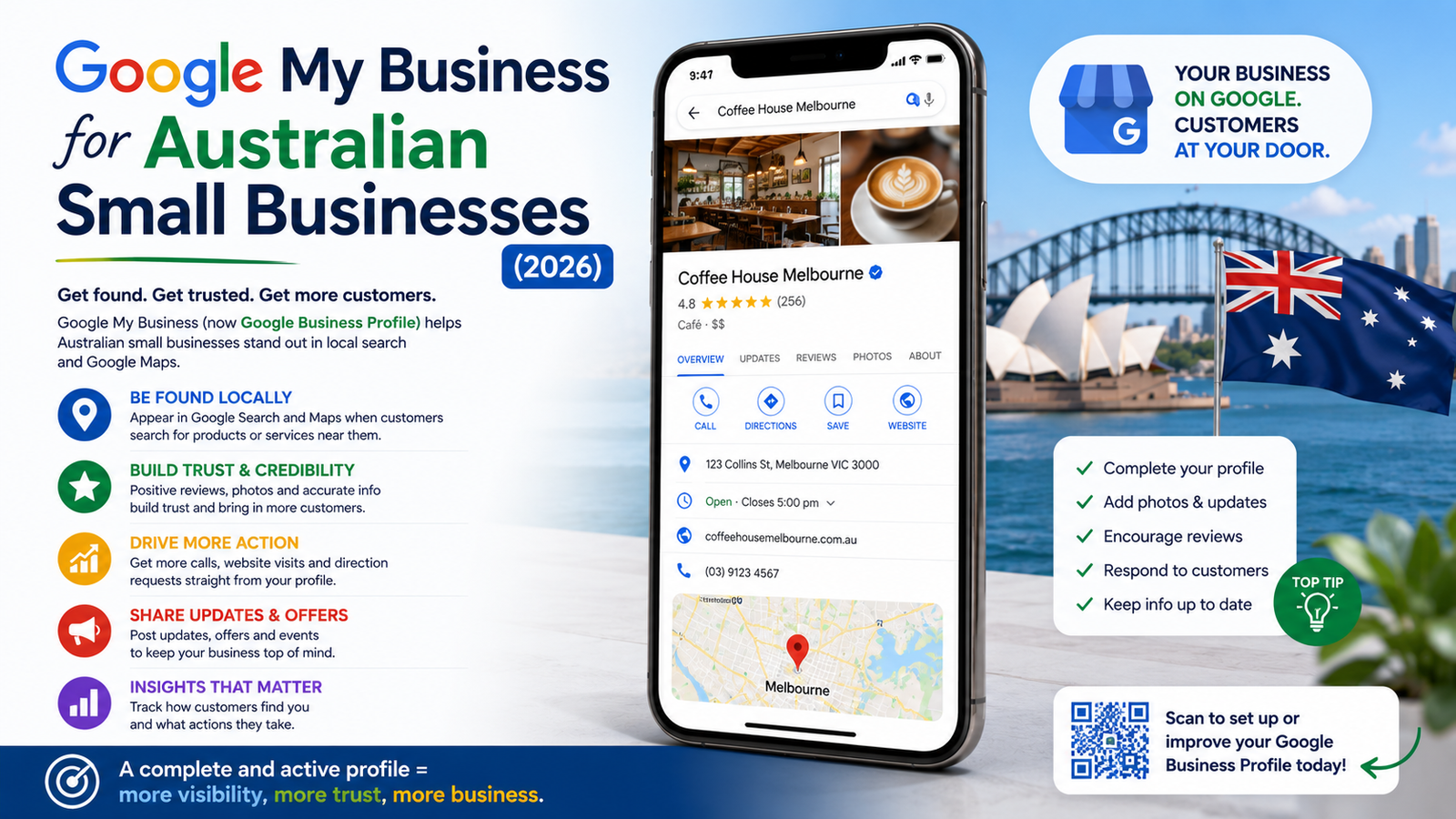
Google Business Profile (GBP) — rebranded from Google My Business in 2022 — is the business listing that appears when someone searches for your business by name, or when Google decides your business is relevant to a local search. It controls:
- Your appearance in the Google Maps "local pack" (the map and three business listings that appear at the top of local searches)
- Your Knowledge Panel (the information box on the right side of Google Search results)
- Your reviews and star rating in Google Search
- Your business hours, photos, services, and contact details as shown to searchers
For any business serving a specific Australian city, suburb, or region, this is the most valuable free tool Google offers.
Setting Up Your Google Business Profile: Step by Step
Step 1: Claim or Create Your Listing
Go to business.google.com and sign in with a Google account. Search for your business name — Google may already have a listing for you that needs to be claimed. If not, create a new profile. Use your legal business name exactly as it appears on your ABN registration — don't add keywords or descriptors (e.g., don't write "Smith Plumbing - Best Plumber Sydney"; just "Smith Plumbing").
Step 2: Verify Your Business
Google requires verification to confirm you're the legitimate owner. Verification options include postcard by mail (most common — arrives in five to seven business days in Australian metro areas), phone call, email, or for eligible businesses, instant video verification. Use a stable address — your service area can be set separately if you don't serve customers at a fixed location.
Step 3: Choose the Right Business Category
Your primary category is one of the most important ranking signals in local search. Choose the most specific, accurate category that describes your core business. A plumber should select "Plumber" — not "Home Services" or "Contractor." A cafe should select "Cafe" — not "Restaurant." You can add secondary categories (up to nine) for related services.
Some categories have particular significance in the Australian market:
- Tradespeople: use your specific trade (Electrician, Plasterer, Tiler)
- Health professionals: choose your specific discipline (General Practitioner, Physiotherapist, Dentist)
- Food and beverage: Cafe, Coffee Shop, or Bakery are distinct categories with different ranking implications
Step 4: Complete Every Section
Google rewards completeness. Fill in every available field:
- Business description (750 characters — use naturally, including your suburb and services)
- Opening hours (including holiday hours — Google prompts you to update these for Australian public holidays)
- Phone number (a local number or mobile — not a 1300 number if you can avoid it)
- Website URL
- Service areas (for mobile businesses and tradies)
- Products or services with descriptions and prices where applicable
- Attributes (e.g., "Wheelchair accessible," "Women-led business," "LGBTQ+ friendly")
Photos: The Element Most Businesses Get Wrong
Google Business Profiles with photos receive 42% more requests for directions and 35% more website clicks than those without. Yet most Australian small business GBP listings have fewer than five photos — often a blurry logo and nothing else.
What your GBP should have:
- Cover photo: A high-quality exterior or interior shot that represents your business clearly. 1080 x 608 pixels minimum.
- Logo: Your actual business logo, square format, on a white or clean background.
- Team photos: People build trust. Photos of you and your staff performing your work are particularly valuable for service businesses.
- Work/product photos: Before-and-after shots for tradies, food photographs for hospitality businesses, product shots for retail.
- Interior and exterior shots: Help customers recognise your premises.
Aim for a minimum of 20 photos. Add new photos at least once per month — Google monitors freshness as an engagement signal.
Google Reviews: The Most Powerful Local Trust Signal
In Australia, Google reviews are the dominant online trust signal for local businesses — ahead of Facebook reviews, Yelp, and industry-specific directories. A business with 50+ reviews averaging 4.7 stars will consistently outperform a technically superior competitor with 8 reviews at 4.2 stars in local search rankings.
Building your review base legitimately:
- Ask every satisfied customer directly — most are happy to help if asked personally
- Send a follow-up SMS or email with a direct link to your review form (find this in your GBP dashboard under "Get more reviews")
- Place a QR code linking to your review form at your counter, on your invoice, or in your email signature
- Respond to every review — positive and negative. Google tracks response rate, and potential customers read your responses closely.
Never purchase fake reviews. Google's detection has become sophisticated, and being caught results in listing suspension or review removal — penalties that can take months to recover from.
Google Posts: The Underused Feature That Boosts Visibility
Google Posts are short updates that appear directly in your Business Profile in search results. They can announce promotions, share news, highlight products, or publish events. Most Australian small businesses never use them — which means those that do stand out immediately.
Post types available:
- What's New: General updates about your business
- Events: Workshops, sales events, open days
- Offers: Discounts and promotions (with start/end dates)
- Products: Highlight specific products with photos and pricing
Posting once per week is ideal. Posts expire after seven days (except events), so consistency matters.
Q&A: Control the Conversation
The Q&A section of your GBP allows anyone — not just you — to ask and answer questions about your business. This is a security risk and an opportunity. Proactively populate your Q&A with the questions you're most commonly asked (payment methods, parking, service areas, pricing ranges) — and answer them yourself. Monitor regularly for questions from the public and respond promptly.
Insights: Measuring What's Working
GBP Insights shows how customers find your profile, what actions they take, and where they're searching from. Key metrics to watch:
- How customers search for your business (direct vs. discovery)
- Calls, website clicks, and direction requests per month
- Which photos are getting the most views
Use this data to understand which services or search terms are driving GBP traffic and optimise your profile description and posts accordingly.
GBP and Your Website: Better Together
A Google Business Profile without a linked website misses a significant portion of its potential. Google uses your website to understand your business more deeply — the services you offer, the suburbs you mention, the content you publish. A business with a well-optimised GBP and a well-optimised website ranks meaningfully higher in local search than either alone.
Getting your Google Business Profile right is one of the highest-ROI activities available to any Australian small business. If you'd like help not just with your GBP but with the website that supports it, get in touch with Acroxcreation. We help Australian businesses build a complete local search presence that drives real customers to your door.